As of October 8, 2024, TikTok Shop has officially expanded its product category taxonomy, as announced in their recent changelog update. A significant expansion has been rolled out to TikTok Shop category tree, increasing the levels from 3 to up to 7. This change has been implemented to enhance the granularity and accuracy of product information, making it easier for customers to find exactly what they are looking for and improving overall product discoverability.

What Does This Mean for Sellers?
Sellers are encouraged to adopt these new API functionalities to ensure a smooth transition and take full advantage of the category expansion, ultimately improving catalog quality and the user experience on the platform.
M2E Connect Expands with New TikTok Shop US Categories
We are excited to inform all M2E TikTok Shop Connect users that our integration is fully updated to support this new category tree. You can now seamlessly access the expanded product categories to update your listings and ensure they remain compliant with TikTok Shop’s new taxonomy.
We encourage you to update your listings as soon as possible to take advantage of the enhanced product categorization inflatable slide for sale.
How to Update Your Listings with M2E TikTok Shop Connect
To ensure a smooth transition to the expanded TikTok Shop category structure, M2E TikTok Shop Connect users need to follow these steps to update their product listings:
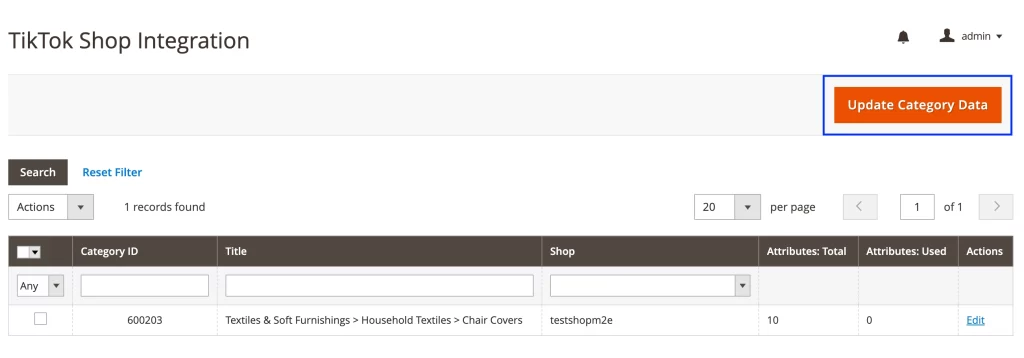
Step 1. Update Category Data.
- Navigate to Configuration > Categories in M2E TikTok Shop Connect.
- Click the Update Category Data button above the Categories grid to synchronize with the latest TikTok Shop categories.
Step 2. Update Categories for Products in M2E Listing.
- Go to your M2E Listing and switch to the Settings View Mode to easily manage your products’ categories.
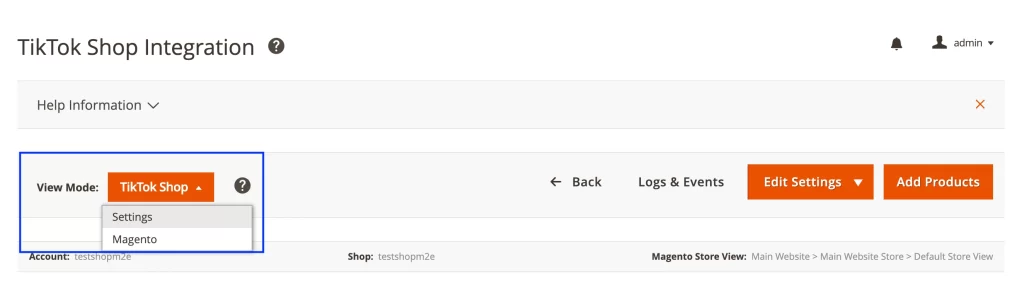
- Select the products that belong to the same category and use the Mass Action Edit Category Settings option for them.
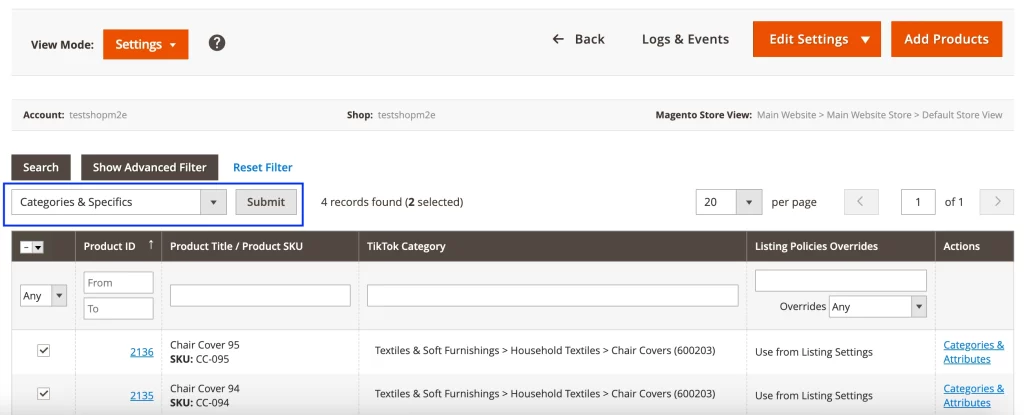
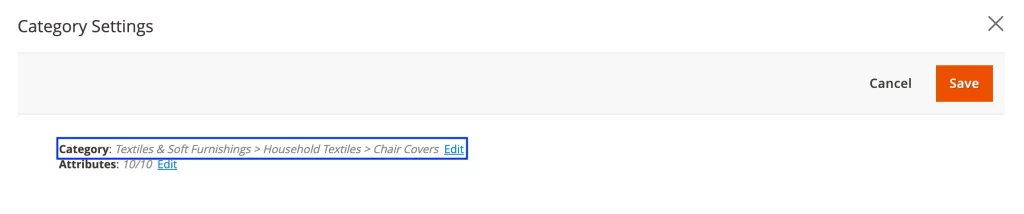
- Click Edit next to the category path and choose from one of the available categories in the new taxonomy.
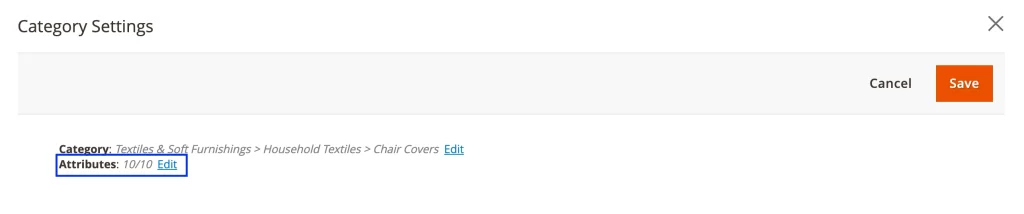
- Ensure that all required product attributes are correctly configured.
- Remember to click Save to apply the changes to your listings.
Stay Ahead with M2E TikTok Shop Connect
Updating your listings to match TikTok Shop’s new category structure is crucial for maintaining visibility and compliance on the platform. Take advantage of these improvements today to boost your product discoverability and provide a better shopping experience for TikTok users.
Dive into our blog for the latest strategies and tips for growing your TikTok Shop.